



Aller au contenu
View in the app

A better way to browse. Learn more.

Fallout Génération

A full-screen app on your home screen with push notifications, badges and more.

To install this app on iOS and iPadOS
  1. Tap the Share icon in Safari
  2. Scroll the menu and tap Add to Home Screen.
  3. Tap Add in the top-right corner.
To install this app on Android
  1. Tap the 3-dot menu (⋮) in the top-right corner of the browser.
  2. Tap Add to Home screen or Install app.
  3. Confirm by tapping Install.

[Erreur trad] Ca n'est plus bon

Salut,


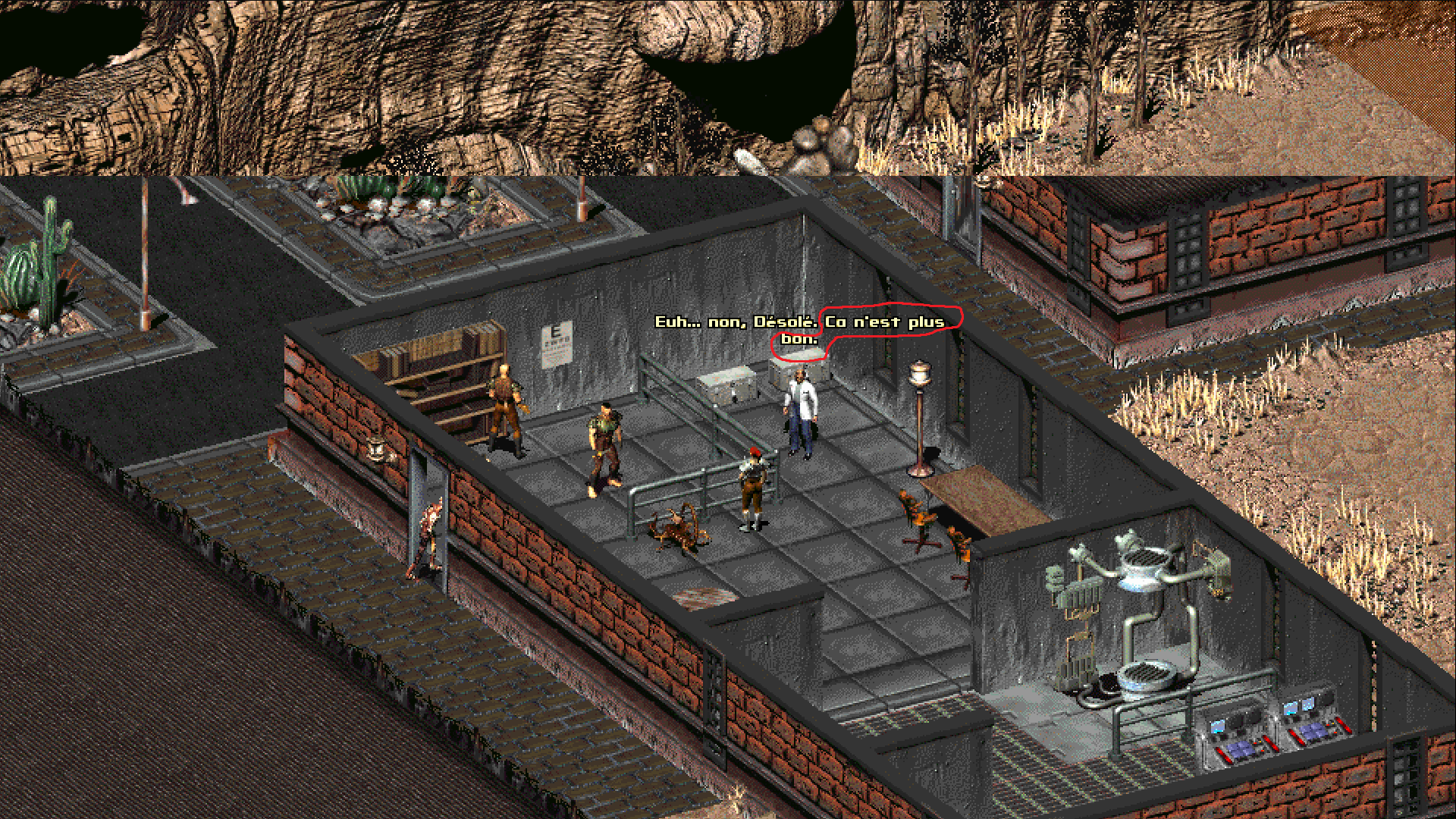
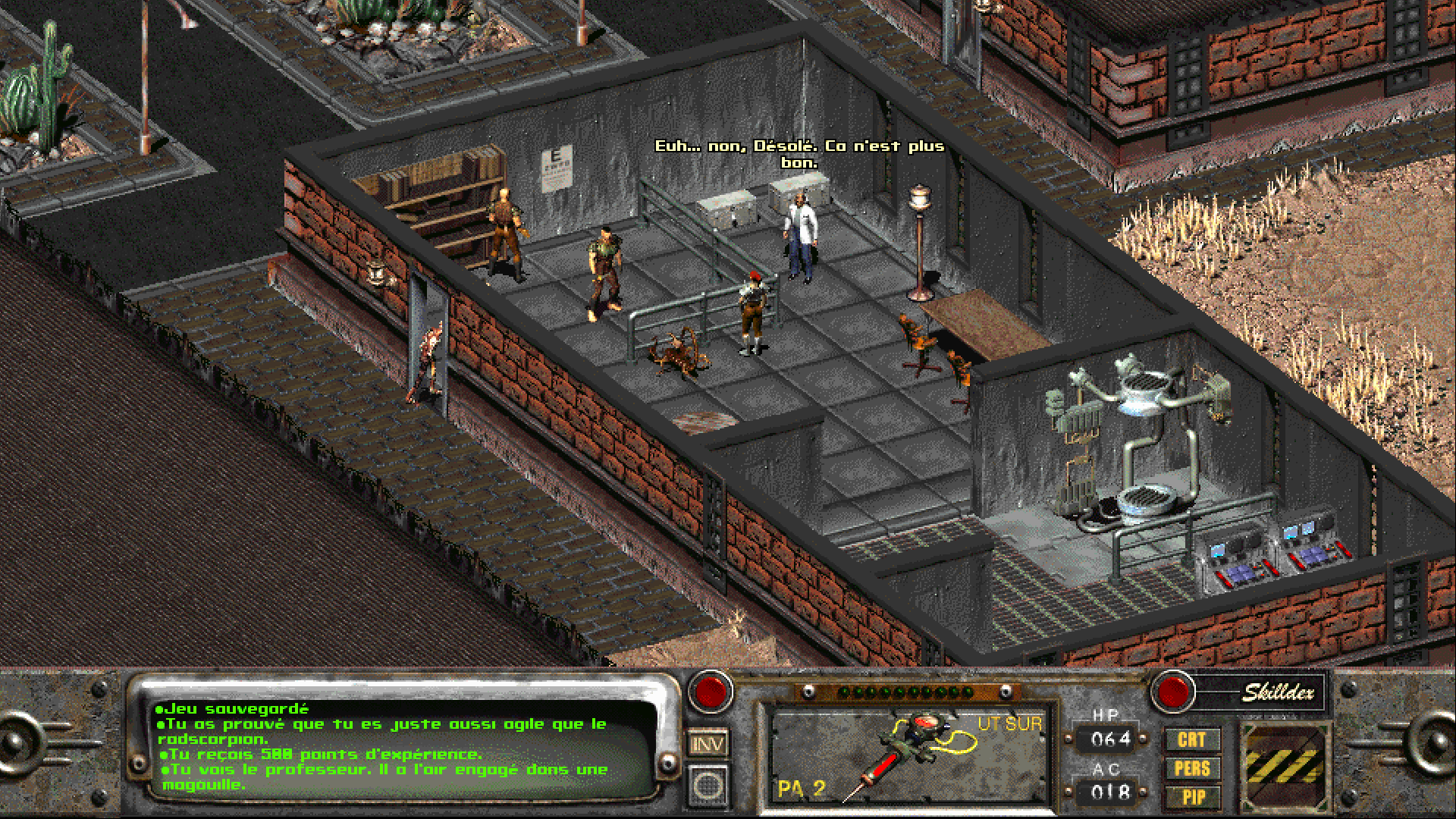
Quand à Broken Hills je parle au professeur qui a augmenté l'intelligence d'une plante et d'un radscorpion et que je décide de passer le test de vue, il me répond si j'échoue: "(...). Ca n'est plus bon." (voir screen).


Cela devrait sûrement être: "Ce n'est pas bon.", "C'est faux." ou mieux: "C'est incorrect." en fonction de la VO.
 

1641930112_anestplusbon.thumb.png.0ebd839c957863c224101bc7fb9741de.png

image.png

Retour utilisateur

Commentaires recommandés

koshie

Citoyen
Posté(e) (modifié)

A cela je vais ajouter un autre dialogue, voir screen ci-dessous. "Ben, c'était match nul" c'est plutôt vilain, je pense que ça aurait du être: "Bon, c'était un match nul.", après avoir effectué le test d'agilité et obtenu un match nul contre le radscorpion.


bencetaitmatchnul.thumb.png.e897c558295459a72ee1db769e6d9b5d.png

Modifié par koshie

Dr Gast

Citoyen
Posté(e)
Citation

Uh...no, I'm sorry. That's way off.

--> Euh... non, Désolé. C'est pas du tout ça.


Encore une erreur de la Vanilla, bien joué !

Fixé.

---------------------------


Il y a 15 heures, koshie a dit :

A cela je vais ajouter un autre dialogue, voir screen ci-dessous. "Ben, c'était match nul" c'est plutôt vilain, je pense que ça aurait du être: "Bon, c'était un match nul.", après avoir effectué le test d'agilité et obtenu un match nul contre le radscorpion.

Corrigé pour :

"Bon, c'est un match nul."
 

Citation

"Well, that was a tie."

Bien qu'employé en anglais, en français l'emploi de l'imparfait n'avait rien à faire ici.


Rejoindre la conversation

Vous pouvez publier maintenant et vous inscrire plus tard. Si vous avez un compte, connectez-vous maintenant pour publier avec votre compte.
Remarque : votre message nécessitera l’approbation d’un modérateur avant de pouvoir être visible.

Invité
Ajouter un commentaire…

Account

Navigation

Rechercher

Rechercher

Configure browser push notifications

Chrome (Android)
  1. Tap the lock icon next to the address bar.
  2. Tap Permissions → Notifications.
  3. Adjust your preference.
Chrome (Desktop)
  1. Click the padlock icon in the address bar.
  2. Select Site settings.
  3. Find Notifications and adjust your preference.