Aller au contenu
View in the app

A better way to browse. Learn more.

Fallout Génération

A full-screen app on your home screen with push notifications, badges and more.

To install this app on iOS and iPadOS
  1. Tap the Share icon in Safari
  2. Scroll the menu and tap Add to Home Screen.
  3. Tap Add in the top-right corner.
To install this app on Android
  1. Tap the 3-dot menu (⋮) in the top-right corner of the browser.
  2. Tap Add to Home screen or Install app.
  3. Confirm by tapping Install.

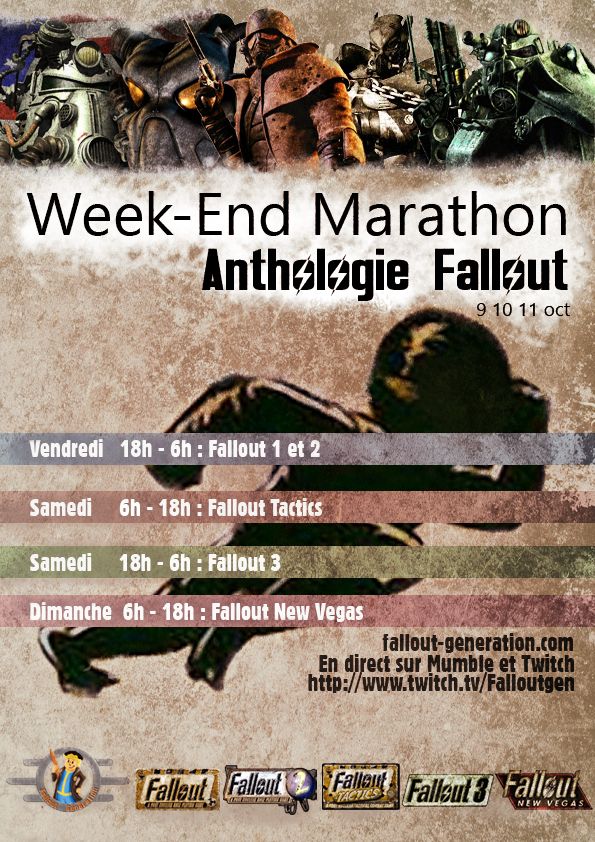
Rappel : Marathon Fallout sur Twitch tout le week-end !

Petit rappel pour ceux qui seraient passé à coté :


Affiche.jpg.b72b491c8d88f533402298410b68

Rendez-vous sur notre chaine Twitch ce soir à partir de 18h00 !

http://www.twitch.tv/Falloutgen


Pour les détails du programme et le reste :

Modifié par HawK-EyE

Retour utilisateur

Commentaires recommandés

Invité

Invité

Visiteur
Posté(e)

A cool, moi qui ai connu que les 2 derniers, je vais aller faire un tour.

Invité

Invité

Visiteur
Posté(e)

Oh oui !

Posté(e)

Je serais (normalement) dispo tout le long du run Fallout 3 et New Vegas, sa va être épic ! 

C'est quand même génial de voir que Bethesda à relié l'événement, sa fait plaisir, et personnellement, sa boost un maximum pour organisé d'autres événements de ce genre :)

Invité

Invité

Visiteur
Posté(e)

C'est deja fini ? 


Rejoindre la conversation

Vous pouvez publier maintenant et vous inscrire plus tard. Si vous avez un compte, connectez-vous maintenant pour publier avec votre compte.
Remarque : votre message nécessitera l’approbation d’un modérateur avant de pouvoir être visible.

Invité
Ajouter un commentaire…

Qui est en ligne (Afficher la liste complète)

  • Il n’y a aucun utilisateur enregistré actuellement en ligne

Account

Navigation

Rechercher

Rechercher

Configure browser push notifications

Chrome (Android)
  1. Tap the lock icon next to the address bar.
  2. Tap Permissions → Notifications.
  3. Adjust your preference.
Chrome (Desktop)
  1. Click the padlock icon in the address bar.
  2. Select Site settings.
  3. Find Notifications and adjust your preference.