Aller au contenu
View in the app

A better way to browse. Learn more.

Fallout Génération

A full-screen app on your home screen with push notifications, badges and more.

To install this app on iOS and iPadOS
  1. Tap the Share icon in Safari
  2. Scroll the menu and tap Add to Home Screen.
  3. Tap Add in the top-right corner.
To install this app on Android
  1. Tap the 3-dot menu (⋮) in the top-right corner of the browser.
  2. Tap Add to Home screen or Install app.
  3. Confirm by tapping Install.

Les nomades du rail

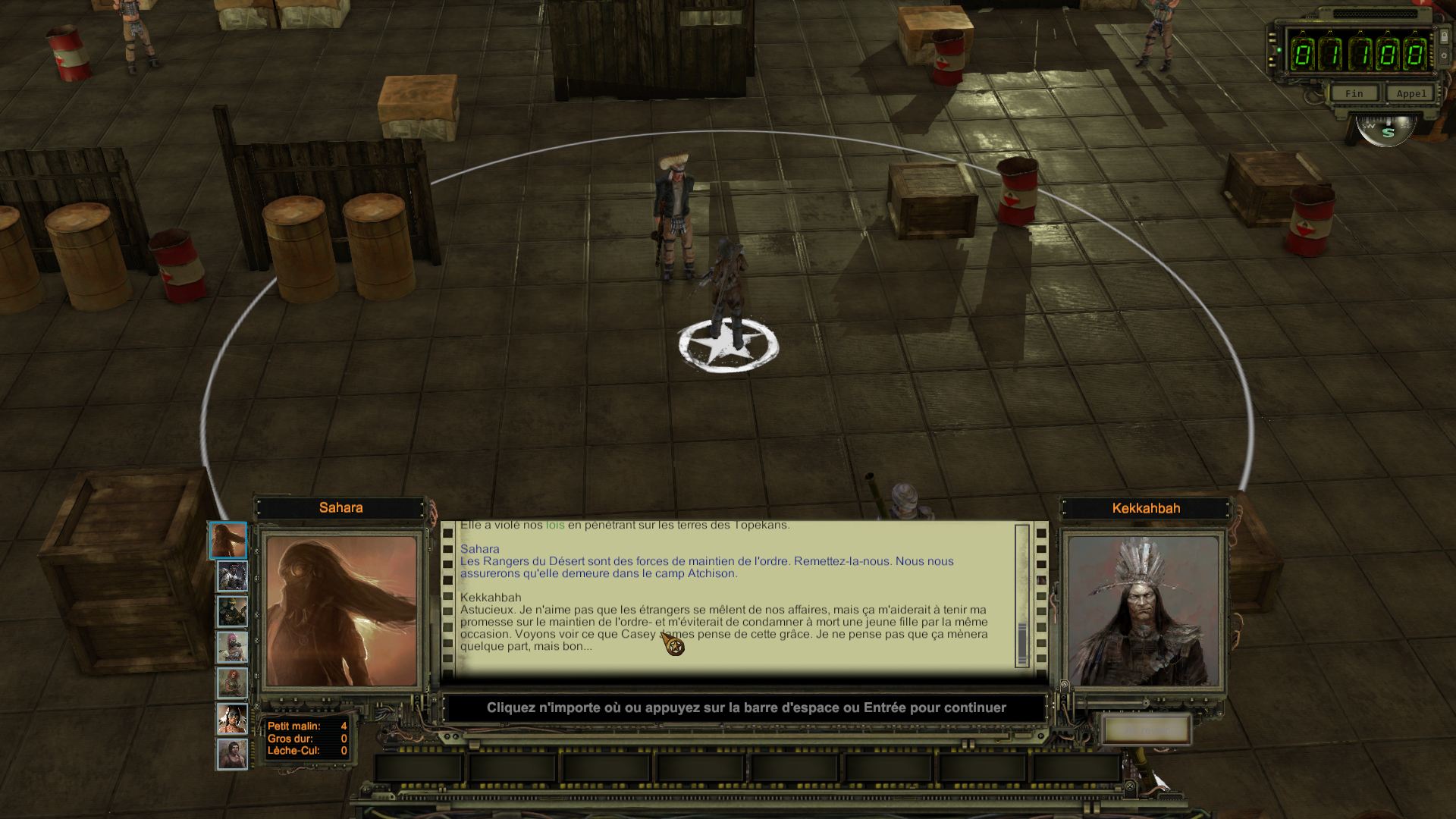
Un double espace dans la 1ere image


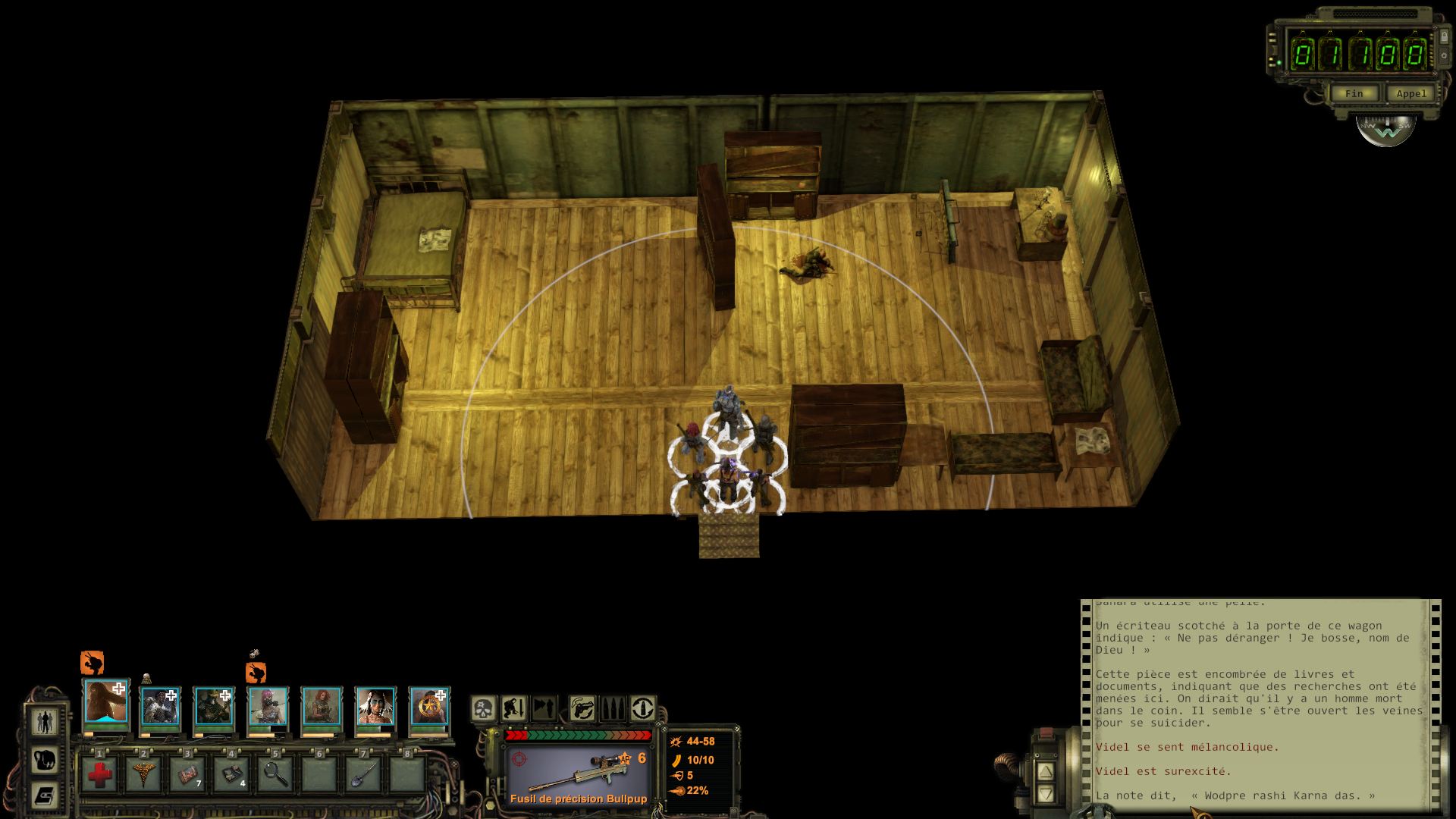
Un "-" qui se ballade dans la 2e image
2015-10-20 20_58_09-Greenshot.jpg

2015-10-21 19_29_15-Greenshot.jpg

Retour utilisateur

Commentaires recommandés

HawK-EyE

Citoyen
Posté(e)

C'est pas vraiment une erreur vu que c'est un tiret en milieu de phrase, l'erreur c'est qu'il manque un espace avant :


#{#wl3_AZ3_MasterKekkahbah_25070}Very cunning. I don't like others get involved in our internal affairs, but this would allow me keep my promise to enforce the law - and avoid killing a young woman at the same time. Let us see what Casey James thinks of this act of mercy. I doubt it will lead anywhere, but...
={#wl3_AZ3_MasterKekkahbah_25070}Astucieux. Je n'aime pas que les étrangers se mêlent de nos affaires, mais ça m'aiderait à tenir ma promesse sur le maintien de l'ordre - et m'éviterait de condamner à mort une jeune fille par la même occasion. Voyons voir ce que Casey James pense de cette grâce. Je ne pense pas que ça mènera quelque part, mais bon...
 
Corrigé donc.
Merci encore !

HawK-EyE

Citoyen
Posté(e)

Modification de Statut en Fixé

Rejoindre la conversation

Vous pouvez publier maintenant et vous inscrire plus tard. Si vous avez un compte, connectez-vous maintenant pour publier avec votre compte.
Remarque : votre message nécessitera l’approbation d’un modérateur avant de pouvoir être visible.

Invité
Ajouter un commentaire…

Account

Navigation

Rechercher

Rechercher

Configure browser push notifications

Chrome (Android)
  1. Tap the lock icon next to the address bar.
  2. Tap Permissions → Notifications.
  3. Adjust your preference.
Chrome (Desktop)
  1. Click the padlock icon in the address bar.
  2. Select Site settings.
  3. Find Notifications and adjust your preference.