



Aller au contenu
View in the app

A better way to browse. Learn more.

Fallout Génération

A full-screen app on your home screen with push notifications, badges and more.

To install this app on iOS and iPadOS
  1. Tap the Share icon in Safari
  2. Scroll the menu and tap Add to Home Screen.
  3. Tap Add in the top-right corner.
To install this app on Android
  1. Tap the 3-dot menu (⋮) in the top-right corner of the browser.
  2. Tap Add to Home screen or Install app.
  3. Confirm by tapping Install.

Notes expériences delta, The Glow

Que des "Error" sont affichés en lisant les données de l'holodique "Recherches delta"
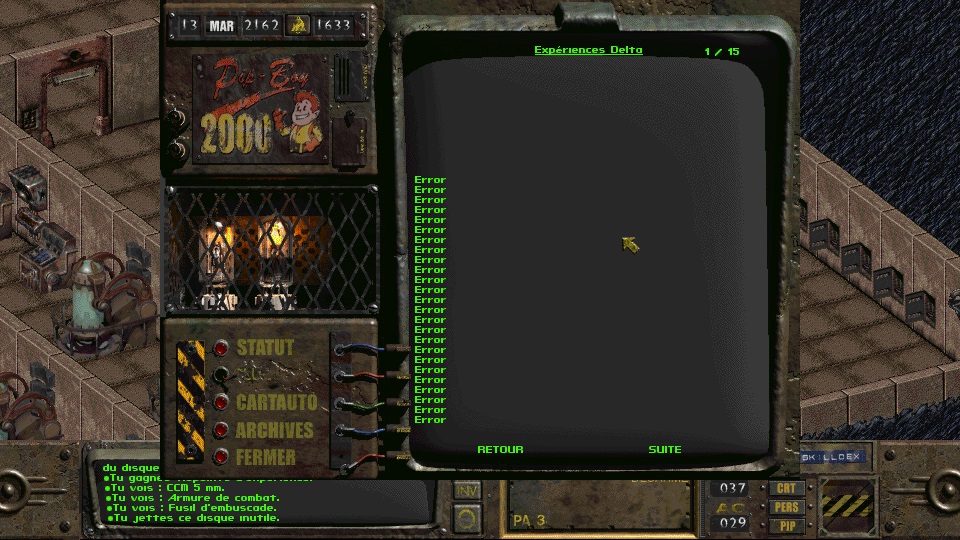
scr00018.jpg

SLOT03.zip

Retour utilisateur

Commentaires recommandés

HawK-EyE

Citoyen
Posté(e)

Le contenu se trouve dans diskd.msg

#
# Delta Experiments Disk has had its contents moved here from PIPBOY.MSG (under GAME folder)
# to help fix the Too Many Pipboy Entries bug(s).
#
# It's now displayed in dialog window, similar to Radio and SecDisk and MutDisk.
#

Mais pour une raison inconnue, on dirait qu'il va quand même lire les entrées de pipboy.msg au lieu de celles là...

On pourrait résoudre le problème en remettant les entrées dans pipboy.msg mais je pense que c'est voulu.

DISKD.MSG

Rejoindre la conversation

Vous pouvez publier maintenant et vous inscrire plus tard. Si vous avez un compte, connectez-vous maintenant pour publier avec votre compte.
Remarque : votre message nécessitera l’approbation d’un modérateur avant de pouvoir être visible.

Invité
Ajouter un commentaire…

Account

Navigation

Rechercher

Rechercher

Configure browser push notifications

Chrome (Android)
  1. Tap the lock icon next to the address bar.
  2. Tap Permissions → Notifications.
  3. Adjust your preference.
Chrome (Desktop)
  1. Click the padlock icon in the address bar.
  2. Select Site settings.
  3. Find Notifications and adjust your preference.