





- Fallout 76 : Version: 1.5.2.32
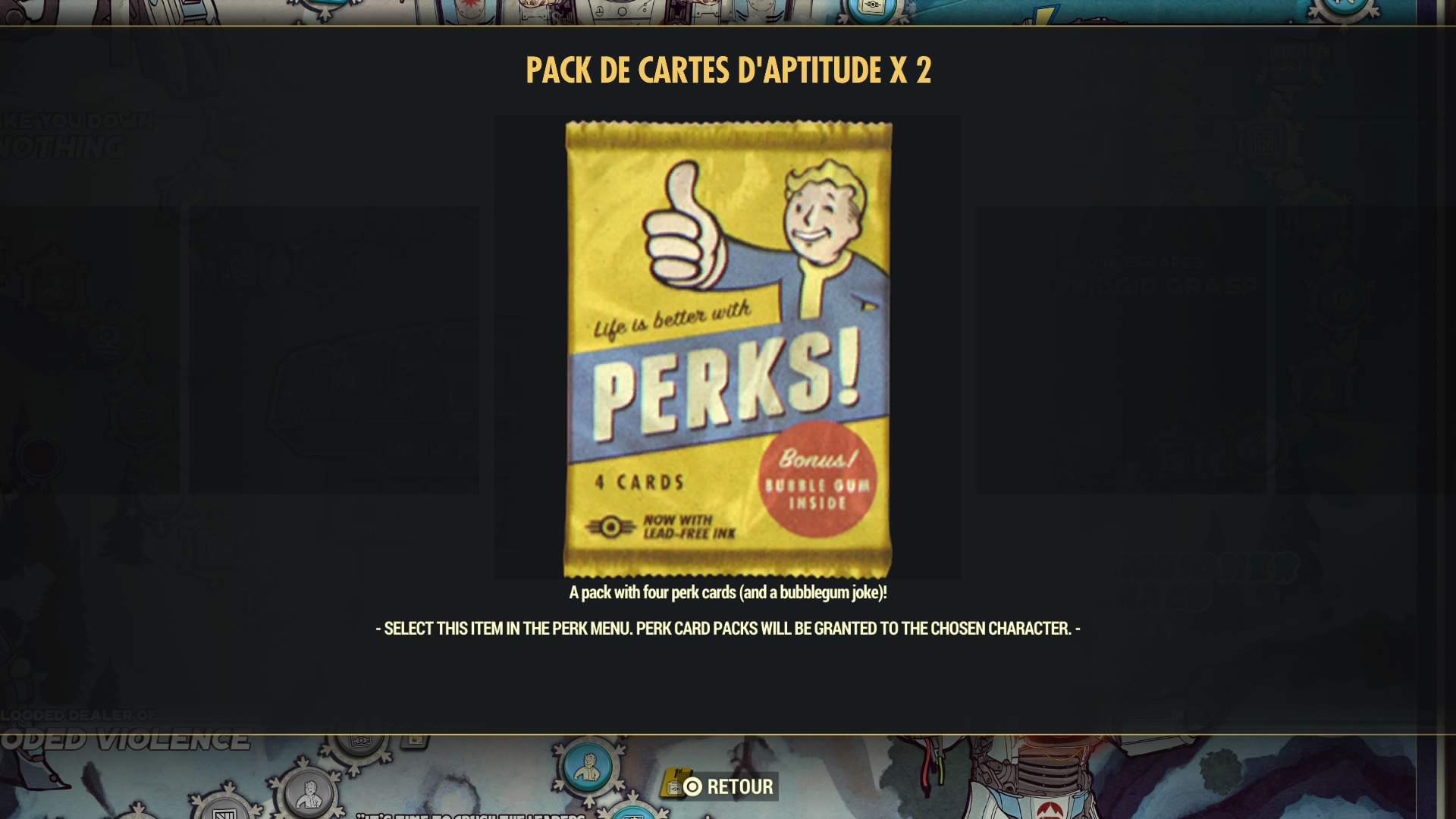
La description de pack de 4 cartes d'aptitudes n'est pas traduite en jeu (concerne tous les pack du tableau de score) :
A pack with four perk cards (and a bubblegum joke)! - SELECT THIS ITEM IN THE PERK MENU. PERK CARD PACKS WILL BE GRANTED TO THE CHOSEN CHARACTER.-
Devrait normalement être traduit :
Pack de 4 cartes d'aptitude (et un chewing-gum contenant une blague) ! - SÉLECTIONNEZ CET OBJET DANS LE MENU DES APTITUDES. LES PACKS DE CARTES D'APTITUDE SERONT ATTRIBUÉS AU PERSONNAGE CHOISI.-
Le champs traduit et d'ailleurs disponible : 005AD5B4, champs 'DESC' - Pack de 4 cartes d'aptitude (et un chewing-gum contenant une blague) ! - SÉLECTIONNEZ CET OBJET DANS LE MENU DES APTITUDES. LES PACKS DE CARTES D'APTITUDE SERONT ATTRIBUÉS AU PERSONNAGE CHOISI.-
5 lignes en champs 'ZZZZ' dormantes peuvent être à l'origine du bug :
|
|
|
|
|
Commentaires recommandés
Rejoindre la conversation
Vous pouvez publier maintenant et vous inscrire plus tard. Si vous avez un compte, connectez-vous maintenant pour publier avec votre compte.
Remarque : votre message nécessitera l’approbation d’un modérateur avant de pouvoir être visible.